The problem
Inventory waits until a count, an 86 or an invoice forces it. Recipe costs, shelf life, suppliers and what you expect to sell live in separate spreadsheets or in one person’s head.
03Inventory · Purchasing · Forecasting
86MISE ties recipes, counts, suppliers and purchase orders together, so you catch low stock and expiring prep before they hit service.
Ask about the 86MISE betaby SEBICHE
Inventory waits until a count, an 86 or an invoice forces it. Recipe costs, shelf life, suppliers and what you expect to sell live in separate spreadsheets or in one person’s head.
Independent kitchens that want real inventory control, food-safety dates in view and help deciding what to order, without a months-long setup.
86MISE / 03
Open on what can change today’s service: low stock, prep about to expire, an order waiting on you.
Confirm what’s on the shelf from a tablet while you walk the walk-in.
Weigh shelf life, what your recipes need and what you expect to sell before you spend.
Turn it into a purchase order you can review, approve and check in when it arrives.
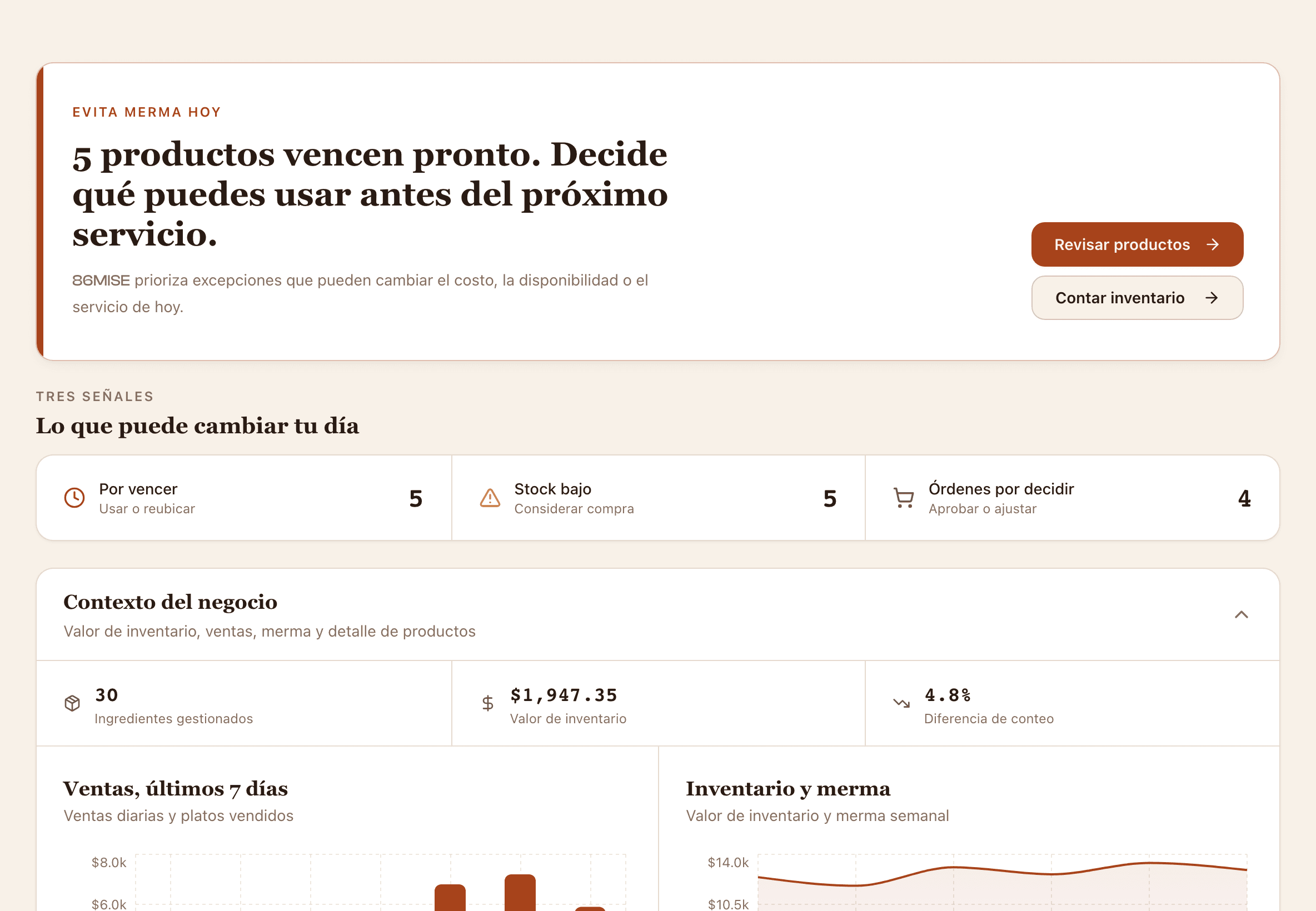
In one number
7days: the Texas shelf-life window 86MISE tracks on every TCS item you prepIn a limited beta. We’ll share waste and count-time numbers once a kitchen confirms them in service.86MISE / Inside the product
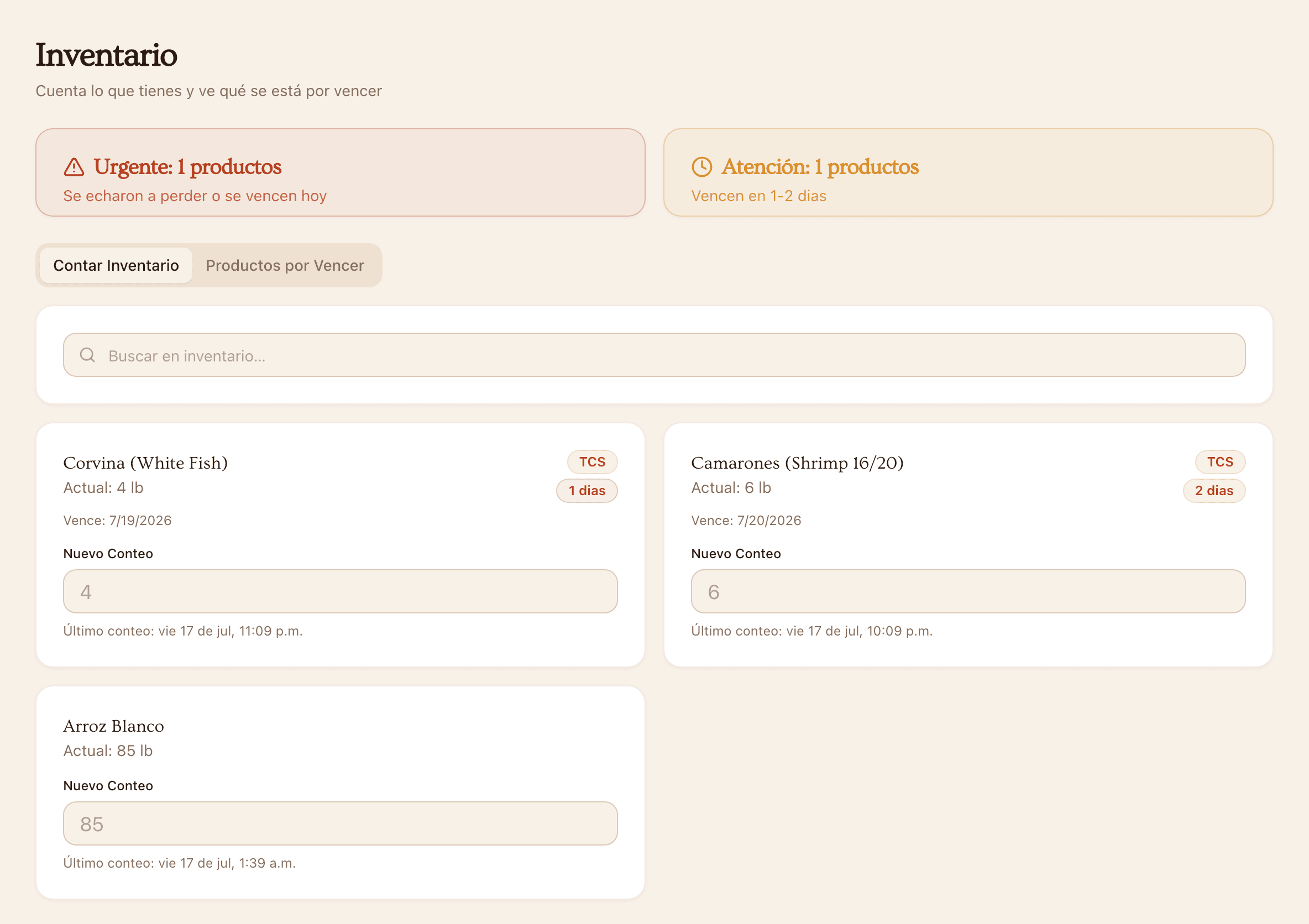
A quick count shows what you have and how long it has left, so you know what to use first.
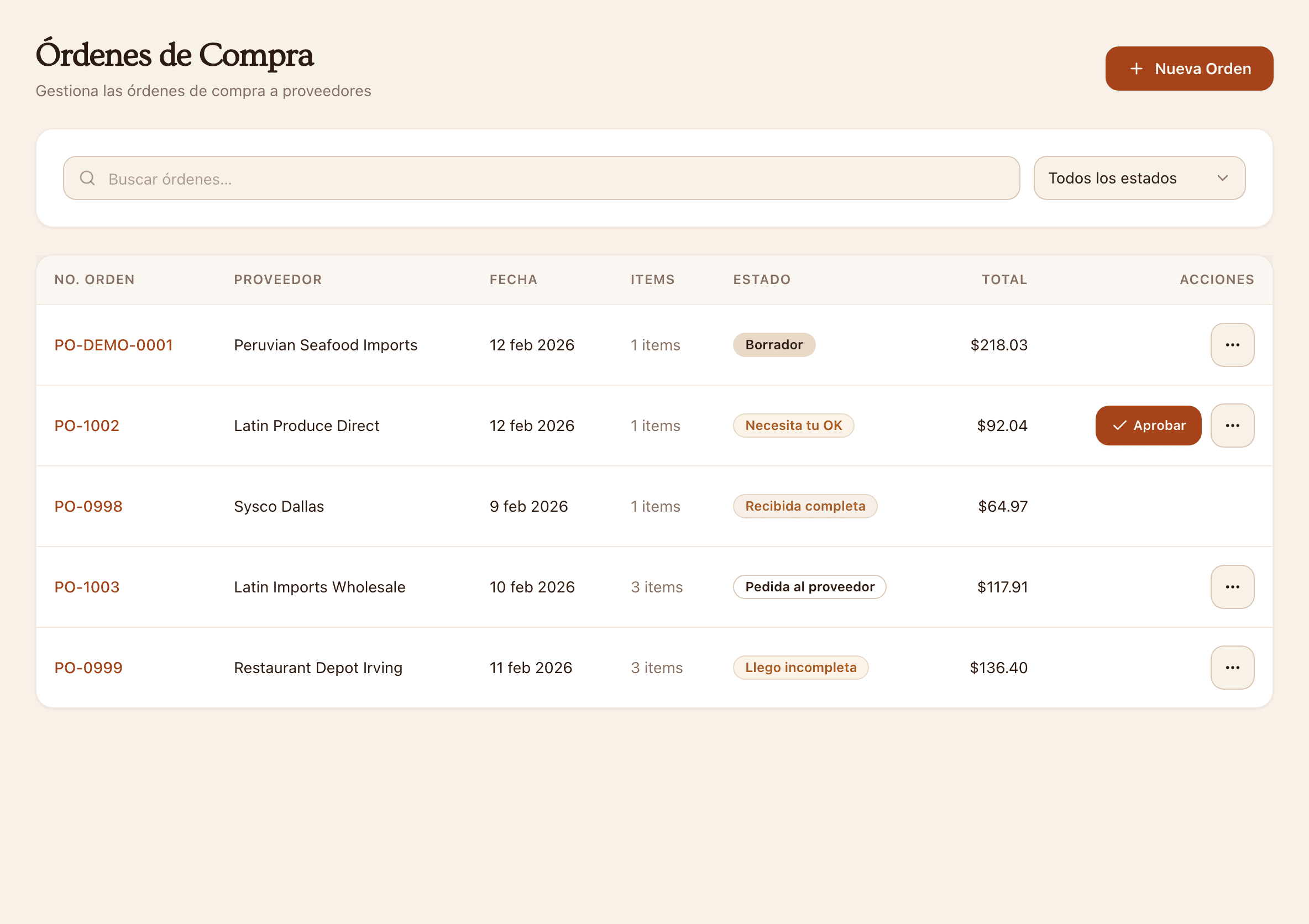
Supplier, amount and approval stay together from the draft to the delivery at your back door.
86MISE / 04
Counts, low-stock flags and alerts on the Texas seven-day shelf-life rule.
Ingredients linked to recipes, with food cost calculated for you.
Your suppliers and purchase orders, with clear limits on who can approve what.
A starting forecast you can correct. Demo numbers are always labeled as demo.
Where it stands
86MISE